Prescription Lenses for Google Glass

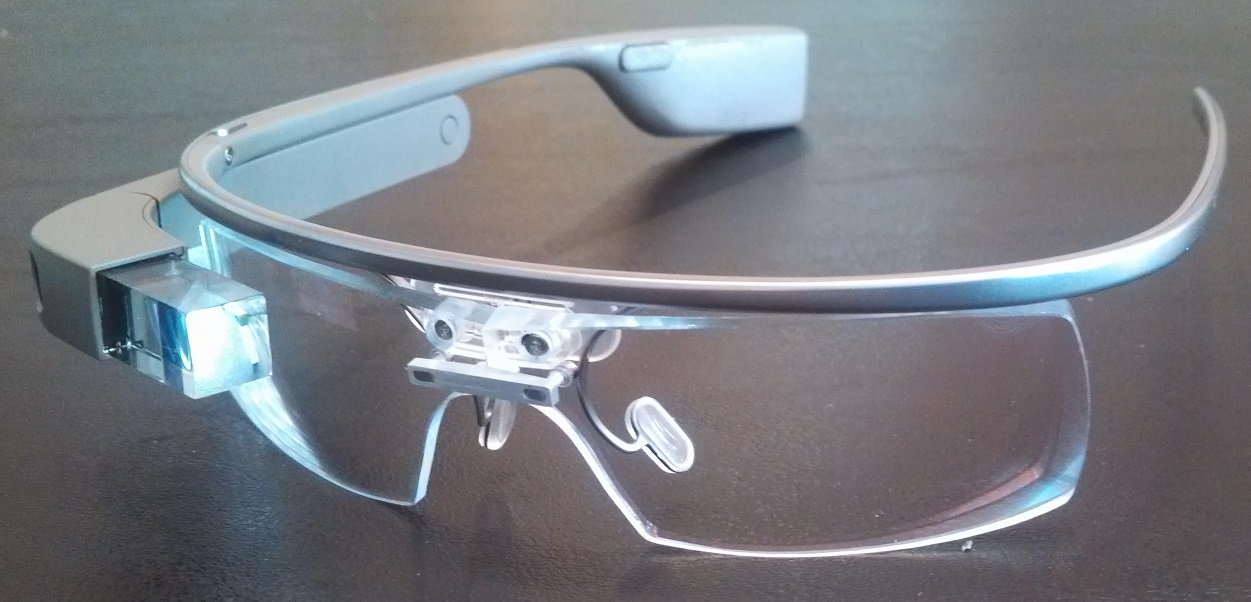
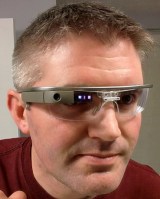
5After a couple of months of searching, Dr. Steve Jacobs and I found a way to create a pair of prescription lenses for my Google Glass device. The final product has a kind of industrial edge to it that I rather like. The clip-on lenses match the curvature of the frame, so they look great. This is also the first time I have had a pair of wraparound lenses, so I have improved peripheral vision while wearing them. The first couple of times I wore them, it did take a little while for my eyes to adjust to the optics of the lenses, but this was not a major issue. Since I was not happy with the various contact lenses I tried, I was wearing Glass over my normal prescription frames. This was slightly uncomfortable and meant I did not always have a complete view of the Glass prism. Since the new clip-on lenses firmly clip into the frame, there is no movement to distort the image.

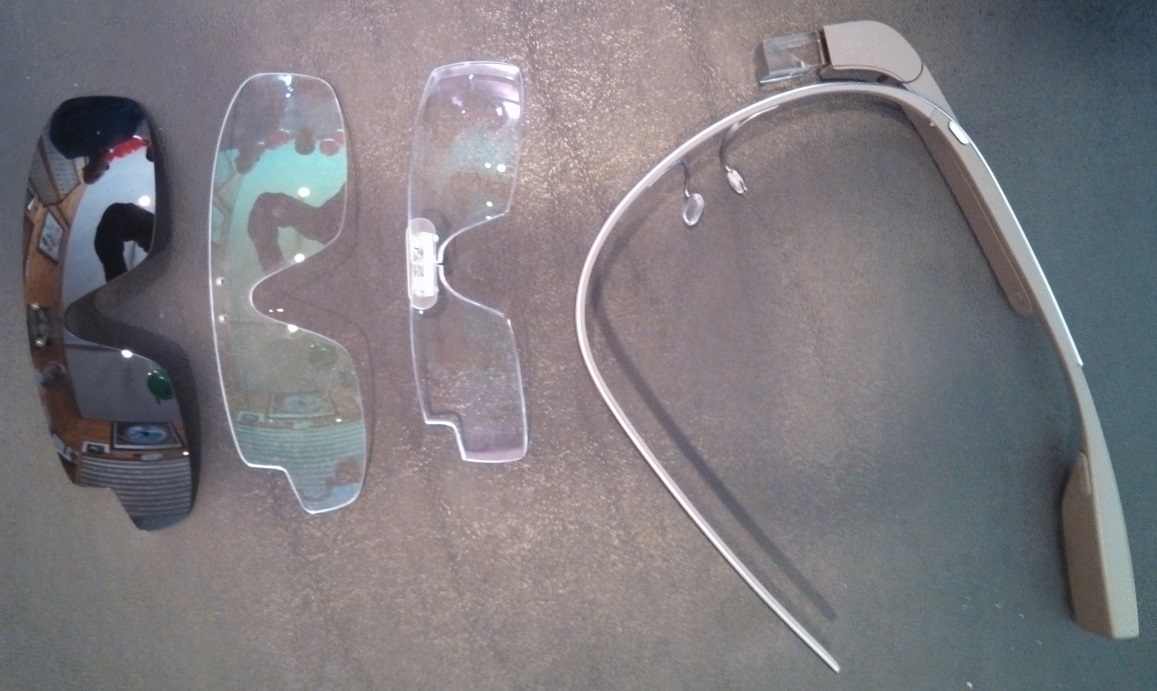
7The clip-on lenses are also smaller than the lenses that came with the Glass device, which makes a big difference in their appearance. See the image below.9

JosephThe lenses were made by Joseph Haloua (left) in State College, PA. They are made from a military grade material called Trivex (which can be changed if your RX warrants it) that is almost as clear as optical glass. The material is ballistic which makes it very robust and perfect for drilling. A high quality antireflective treatment is added to the lenses to render the shield more scratch resistant than optical glass. UV protection is also included. The finished lenses come with a two-year warranty against accidental scratches.

Joseph is currently developing other shapes and progressive lenses to give people who need bifocals the usage of their Glass. Each of the clip-on lenses is unique, which is why the price ranges from $500 to $600. What I like most about what Joseph is doing is that he’s taken on the challenge that so many others did not. While prescription frames will become available from Rochester Optical in 2014, these frames will be missing that rogue edge. If you can wait until 2014, you may be able to purchase a new frame for Glass with prescription lenses for less than $500. However, if you are searching for an immediate solution, a pair of custom clip-on lenses is something to consider. I think Joseph would do what he can to accommodate your preferences in terms of treatments such as Transition(TM), prescription sunglasses (tinted or polarized), etc.

If you are interested in obtaining a pair of clip-on lenses, the process takes about two weeks from the time your clear shield is received. The clip-on lenses can be shipped globally if needed. When you contact Joseph (information below), you will need to provide him with your prescription and the distance between your eyes.

I collected my new lenses last week during Dr. Jacobs’ Annual Trunk Show and Local Charity Fundraiser. I have included a few pictures from the event below. I have also included a video in which Dr. Jacobs says a few words about the lenses.

This slideshow requires JavaScript.

Opening for a Google Glass / Android Developer

Virginia Tech’s Center for Geospatial Information Technology is looking for a Google Glass / Android Developer to support the development of programs for the new platform. This is a great opportunity for someone to join the Google Glass Team at VT and help us develop some exciting new applications for the platform. Additional information about the position is provided below.

CGIT

Who we are?

A group of four Virginia Tech faculty building teaching and research applications for Google Glass.  We’re looking for a couple of rockstar developers.

What’s the position like?

A full stack Android developer to work on two applications: a teaching platform and a mapping research project on Google Glass. Responsible for building  applications for Google Glass. You’ll work with the Android SDK until the Glass Development Kit (GDK) is available.

What are the minimum requirements:   

  • Ability to communicate and collaborate effectively with a smart and diverse team
  • 1+ year(s) of development experience with Android SDK
  • 3+ years of software development experience
  • Experience working with RESTful APIs
  • Experience with live streaming data in an application
  • Experience with Google services
  • Ability to work part time on the Virginia Tech campus
  • Strong understanding of object oriented software principles, design patterns, and agile methodologies
  • Familiarity with automated test frameworks and test-driven development
  • Interested to explore new approaches to mirror world applications using Google Glass.

What would give you bonus points?

  • Experience with video/audio capture and streaming
  • Prior work that involved augmented reality, GIS, or interactive web maps
  • Experience working with 3D in a web browser (html5, x3dom, openGL, three.js, etc.)
  • An ability to analyze UX/UI workflows for quality/efficiency

To apply or learn more, please contact Peter Sforza at the Virginia Tech Center for Geospatial Information Technology — sforza@vt.edu or (540) 231-8935.

VT Google Glass Team

In the past month, I was able to invite three colleagues to join me as a Google Glass Explorer. We were able to meet today to begin exploring ways in which we can use Glass to advance our research and teaching. We also plan to develop new Apps for Glass to support these activities.

In the picture below, Peter Sforza is in the middle and Brian Mathews is on the right. Tom Sanchez (not shown) is the fourth member of our Google Glass Team at VT.

IMG_20131011_120843_1782

This slideshow requires JavaScript.

Global Forum on Urban and Regional Resilience

Global Forum_Page_2Today, Virginia Tech formally announced the new Global Forum on Urban and Regional Resilience. The forum has been created to bridge research, policy, and practice in order to address risk and build resiliency at regional and urban scales in a global context. The formal description of the forum’s objectives and activities is provided in the document to the left.

Last week, I had the pleasure of learning more about this new Presidential Initiative while attending the 4th Conference on Community Resilience in Davos, Switzerland. During the conference, I was able to ask President Charles W. Steger a few questions about the Global Forum and witness the signing of a memorandum of understanding between Virginia Tech and the Global Risk Forum. I captured these events using Google Glass, and with the help of Tonya Pruitt developed the video below.

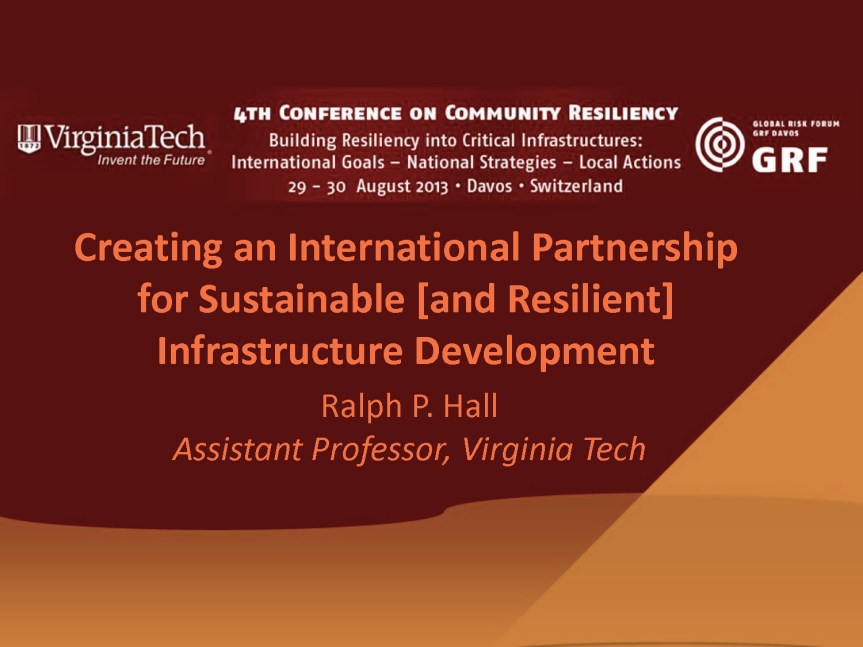
At the conference, I spoke on a panel focused on “Approaches to Infrastructure Resiliency in Different National Contexts.” In my presentation (below), I described the activities of the IITK-VT Partnership, and how they contribute towards the partnership’s vision of creating sustainable and resilient infrastructure services.

Annual2013_HallRP

Teaching Using Google Glass and Apps

With the semester just over a week away, I wanted to describe the platform I plan to use this semester to support my seminar on technology, globalization, and sustainable development (UAP 5784).

Whereas I normally use VT Scholar to manage all course-related activities, this semester I will use Google Apps to promote a more seamless exchange of ideas among the seminar participants. The other factor driving this change is I plan to use Google Glass to share important ideas/thoughts/insights with students that I have outside of the classroom. One dimension that makes this change possible is that Virginia Tech recently made the transition to Google Apps, which means that most students will be proficient with basic Google services such as Google Drive for sharing documents.

Google+ Community

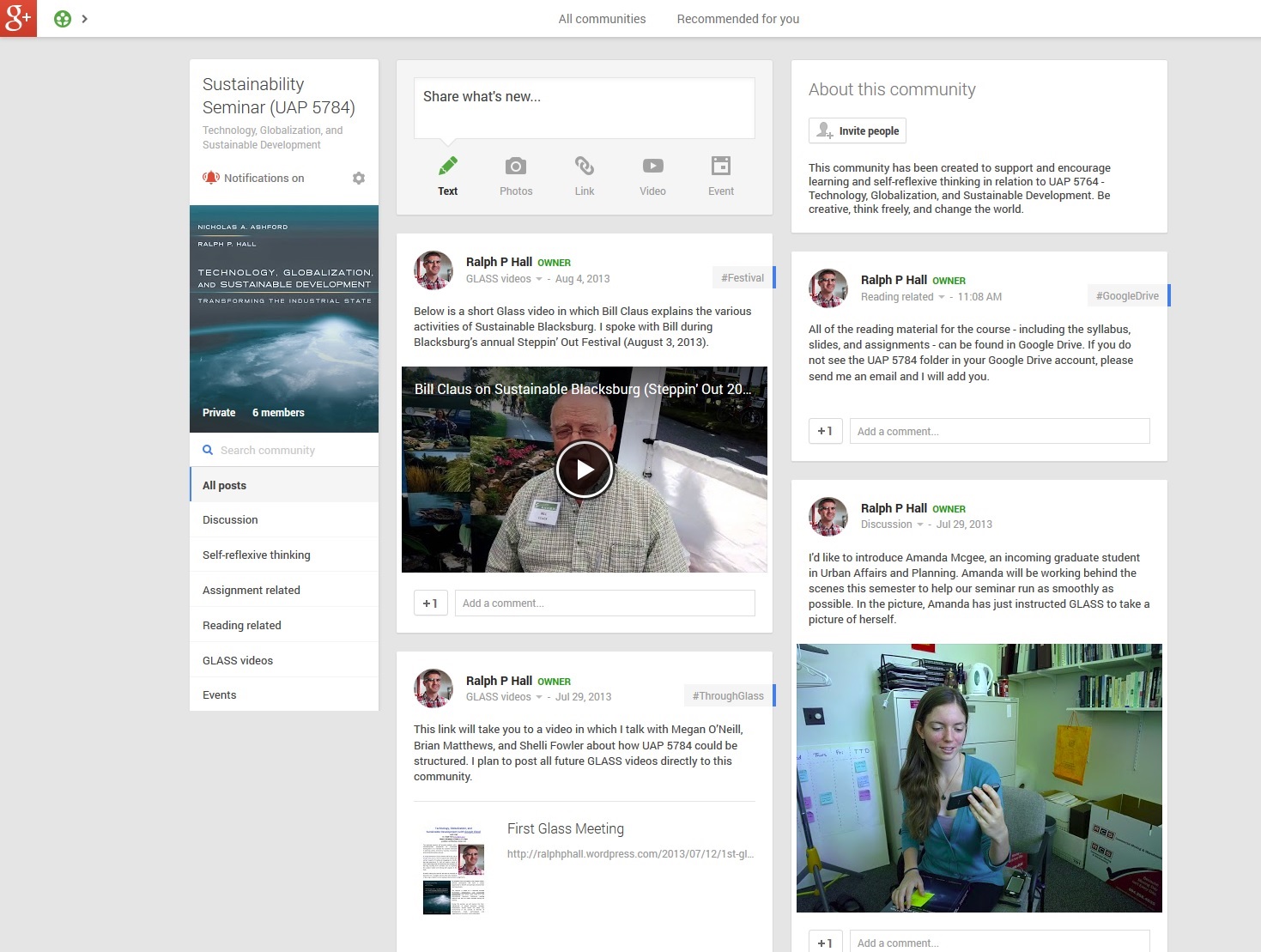
The epicenter for the seminar will be a UAP 5784 community I have created in Google+. Since I wanted to create a space in which students would feel comfortable sharing their ideas, this community is private and only accessible to those taking the seminar. I have provided a screen shot of this community below, which shows a few posts I have made to the community. At this point, no students have been invited to join the community. This action will happen during the first seminar as we begin to explore the platform. As the semester proceeds, I hope this community will become a vibrant place where students can discuss and expand on the material we are covering.
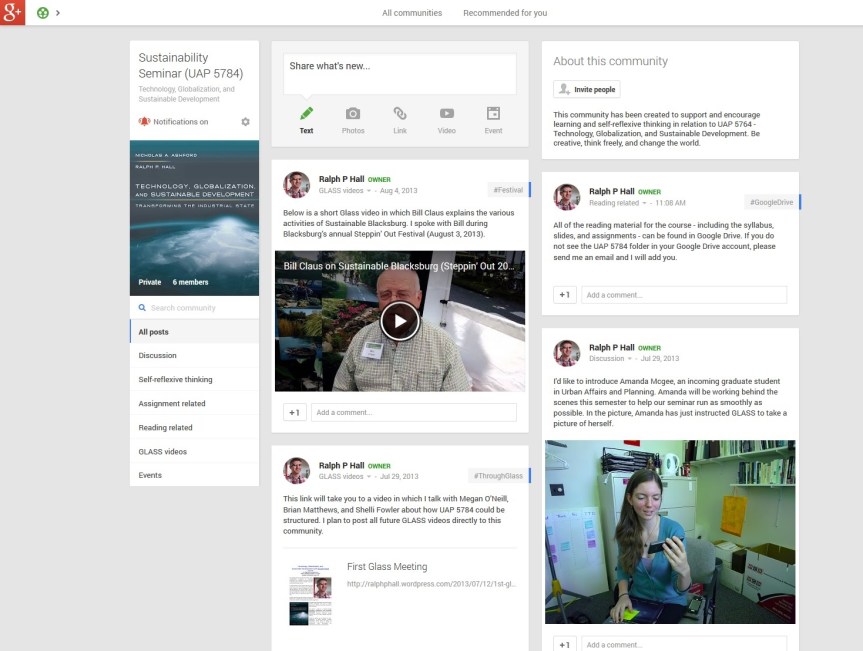
UAP5784 Community

The seminar will have two distinct parts. The first will consist of a group discussion of the assigned reading material. Students will be asked to read and “work up” the reading material with comments and questions before each seminar and be ready to engage in a discussion of the core ideas and themes that emerge from the texts. In the second part of the seminar, we will take a more reflexive look at how the students engaged with the reading material. During this discussion, I plan to develop a conversation around the material being discussed in the on-line community. Before each seminar, students will be asked to prepare a short post to the community in which they can discuss anything of relevance to the seminar. The post could consist of written, visual (e.g., photos, artwork, etc.), audio, and/or video media. Students could record a video (using a webcam) in which they describe their ideas and post it directly to the community for others to view. The process is simple so it will be interesting to see whether students prefer to write or record their posts. Each student will also be expected to comment on at least one post by a fellow seminarian. While student posts could document the questions they have about the reading material, I hope that the space will be used creatively. For example, students could discuss any additional material they consulted to better understand a specific subject. In addition, I will encourage students to try to document their key moments of learning in relation to the reading material, discussions, and/or assignments.

Google Drive
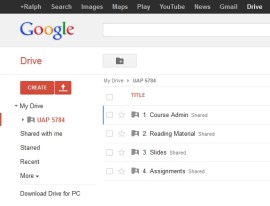
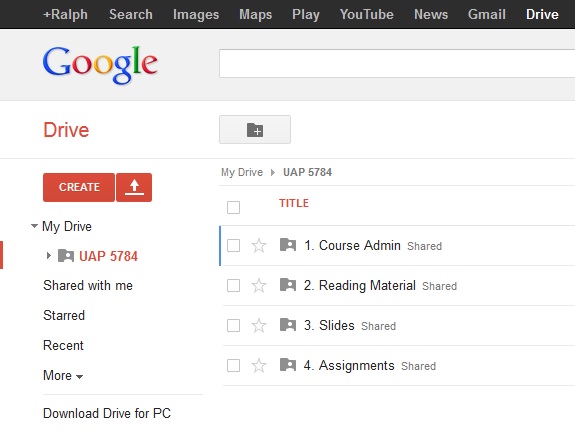
Google DriveSince it is not possible to post files to a Google+ Community, I plan to utilize Google Drive to share documents and PowerPoint/Prezi presentations directly with students. Once each student has been added to the UAP 5784 folder in my Google Drive, they will be able to view all of the files saved in the folder. I currently have four sub-folders in the main folder labeled course admin, reading material, slides, and assignments. One nice aspect of the Google Drive set up is I no longer have to upload files to VT Scholar, which always proved to be a time-consuming process.

In addition to using Google Drive to provide students with access to key documents, I plan to set up an individual folder for each student in the seminar. Students will be asked to save their assignments in these folders and provide me with rights to edit their documents. I plan to review, edit, and comment on each assignment on-line and record a video using Glass in which I will provide each student with feedback on their work while viewing it on my computer. I hope this more comprehensive feedback will demystify my written comments and provide students with a much better sense of how they could improve their work. This aspect of the seminar, which is made possible by Glass, is perhaps the most exciting part of this new platform. I’m keen to see how students react to this type of feedback and hope to see a discussion about whether it is valuable on the UAP 5784 Google+ Community.

Google Circle and Hangouts

While I will create an email listserv for the seminar, I also plan to communicate with students using a Google Circle. At this moment in time, it is not possible to share a Glass video directly with a Google+ community. As a Glass Explorer, I was able to ask a “Glass Guide” (i.e., a member of the Glass development team) whether there was any way to do this. I received the following reply: “Currently you cannot share with a Community page, I’ll add this as a feature request.” Thus, this feature may be coming soon, but it’s not yet available. As a way around this problem, I can create a Google Circle that consists of all of the students in the seminar and post my Glass videos directly to this group. I may want to do this if I have an idea I would like to share and am away from my computer. I also received the following advice from the Glass Guide on how to share my UAP 5784 circle with the students so they won’t have to recreate the circle themselves.

It is possible to share a Circle with your class, so they’ll not have to create Circles themselves. You can do this by visiting Google Plus and from the ‘Home’ tab in the top left corner clicking on ‘People’. Then click ‘Your circles’ and select the circle you’d like to share. Click ‘Actions’ > ‘Share’ this circle and click ‘Share’.

Your students would then receive a request on Google Plus to add that Circle and give them the opportunity to name it. Then you’ll be able to share to that Circle directly from Glass.”

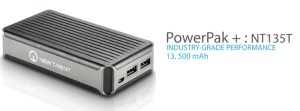
The other aspect of creating a Google Circle for the seminar is that I will be able to initiate a Google Hangout with students directly from Glass. This will enable me to bring the students into conversations I might have with experts in a certain field or have them join me while I present at a conference. I hope to do this at the 4th Conference on Community Resilience in Davos, where I will provide my students with a bird’s eye view of my panel session on Approaches to Infrastructure Resiliency in Different National PowerPak+Contexts. [As an aside, I have purchased a NewTrent PowerPak + (NT135T) to charge my Glass device while it is under heavy use – such as hosting a Google Hangout. This mobile charger can fit in my pocket and connect to Glass via the micro USB cable. I hope the charger will enable me to go for an entire day without the need to find a power outlet to recharge Glass.]
As the semester proceeds, I will provide the occasional update on how this “Google platform” is working and whether the students find this new approach to be of value.
Hangout with Mozambique Team

This afternoon I was able to connect with my research team working in Nampula, Mozambique via a Google hangout. I used my Glass device that was tethered to a smartphone. The picture below (taken via Glass) captures the moment I connected with my colleagues. What is exciting about this platform is that I can now connect with my research team from any location in the US, which I wasn’t able to do previously.

Hangout with Moz Team

First Glass Meeting

UAP5784 - Tech. Glob. Sus. Dev.Today I met with Megan O’Neill, Brian Matthews, and Shelli Fowler to hold an initial discussion of how I might use Glass during my seminar this semester. The video below was taken using Glass. The quality of the image is good, but the sound quality is very poor at times (i.e., you may need to use a headset to hear what is being said). In the future, I will need to sit closer to the person I’m talking with in the hope that the microphone will pickup both sides of the conversation. As you can hear, my voice comes across loud and clear.

For those of you who are interested, the 29-minute video has a size of 1.2 GB (about 10% of the space available on Glass). When I started recording the video, my battery power was at 94%. After 29 minutes of recording the battery power dropped to 19%.  I estimate that I had about 5 minutes of battery power left. Thus, a good rule of thumb is to plan to record for a maximum of 30 minutes on a full charge. Another lesson from today is that it is probably better to record shorter and more focused videos. Such action would require a certain amount of advanced planning, but limiting a video to 2 to 5 minutes would be a good skill to develop.

During our conversation, we referred to the video below that discusses an interesting way of “reviewing” (rather than grading) assignments. One idea is to use Glass to record a short video in which I would talk about the good and problematic aspects of an assignment. Such a video could be individually (privately) shared with a student. Further, if the assignment were uploaded to Google Drive, it would be possible to edit and comment on the final product. Such a process could encourage students to continue working on and refining an assignment that they could later turn into a paper or use in a professional capacity.

Mindful Learning with Glass

booksAbout a year ago, I undertook a Faculty Development Institute (FDI) course on Strategies for Mindful Learning that planted the seed for my current project using Google Glass. With the fall 2013 semester approaching, I decided to revisit Ellen Langer’s book entitled The Power of Mindful Learning that accompanied the FDI course in search of mindful learning strategies.

My challenge this coming semester is how to effectively use Glass to augment my seminar on Technology, Globalization, and Sustainable Development. My initial idea is to record videos that will enable students to follow my thought process in creating the seminar as we go – i.e., to hear me narrate about why I included or excluded certain subjects or material, what advice I was given by mentors/colleagues in the design of the seminar (including, for example, how their facial expressions added weight to the subject matter selected), capturing conversations with guest speakers about what they could cover before they speak in the seminar about a narrower subject matter, etc. The basic idea is to capture the “behind the scenes” aspect of the seminar, which is often where much of my insight and learning occurs.

While the students will not have access to the Glass device, I will challenge them to capture in a blog post (or something similar) how they approached an assignment and what ideas/thoughts came to their mind when crafting their response. The purpose of this reflexive writing is to help students better understand their perspective on the subject matter and provide me with some insight into their frames of reference.

As Langer (1997, p. 138) writes, “When we are mindful, we recognize that the way in which we tend to construct our world is only one construction among many.” For me, this sentence captures the essence of what Langer is writing about. Being mindful is about being open to new information and to new ways of thinking or categorizing information, and recognizing that multiple perspectives are possible. Soderbaum-4As I reread Langer’s text, it reminded me of a productive interaction I once held with Peter Söderbaum about his notion of Positional Analysis (PA) and the importance of conditional conclusions. Any conclusion (or policy, strategy, program, etc.) is conditional in relation to the ideological orientation (i.e., perspective) from which it is considered. Put simply, a conclusion may look promising from one perspective, but have major drawbacks when considered from a different perspective. Peter’s idea is to promote learning by recognizing that there is no best or optional solution, but rather a range of solutions that look quite different depending on one’s ideological orientation.

My challenge this fall will be to mindfully explore with students one of the most important and complex subjects facing humanity – sustainable development. Langer’s strategies to promote mindful learning will surely assist in this task. One of the first discussions I will have with students will consider how our automatic organization of perception/information (see Langer 1997, p. 103) may limit our ability to see potential solutions to the problems we face. [I will also link this discussion to the problem of source amnesia (see Langer 1997, p. 86).] One could argue that our need to simplify or box issues into silos results in the single-purpose design of policies that fail to comprehensively address unsustainable development. In response to this challenge, Nicholas Ashford and I have called for the multi-purpose design of policies that integrate issues such as industrial policy, meaningful employment, environmental protection, competiveness, and trade initiatives into long-lasting sustainable development. It will be interesting to see whether adopting a mindful learning strategy throughout the semester will lead to new insights that can help advance sustainable development. I’m looking forward to the possibilities.  In the words of Langer (1997, p. 5), “Everything is the same until it is not.”

Glass Meets Colleagues

This afternoon, I introduced my colleagues Gardner Campbell and Brian Mathews to Glass. It was a fun meeting during which we explored the main functions of the device and began discussing how I might use it to augment my seminar this fall.

GardnerGardner’s expression (adjacent) quite aptly captures his Glass intrigue and what the device could mean for society at large. Brian’s initial reactions to Glass can be found on his blog in the Chronicle of Higher Education.

Next week, when the full research team assembles at VT, I will record and post our initial conversation about how we plan to use Glass over the coming months. By then, I should have mastered the new commands/functions that have just been release in the Glass software update (XE7).

Got Glass

GlassAfter a bus trip, two flights, and a taxi ride I finally arrived at the Google Glass suite in the Chelsea Market complex, New York. Google has renovated the eighth floor of this building to host the one-on-one Glass set-up sessions. The style of the suite is simple, uncluttered, and clean to mirror the Glass interface experience. The main Google office in New York is situated across the street from Chelsea Market.

I arrived at 3:30pm straight from the airport for a 6:00pm appointment. As I waited for my guest to join me, I met a wide range of fellow Glass Explorers as they arrived for, or left from, their Glass appointment. While I cannot say anything from such a small sample size, there was an interesting mix of individuals obtaining Glass – professionals, students, and a couple of family groups all passed through the doors.

I used the time I had to ask the two Google employees manning the front desk multiple questions about how I might set-up and use the Glass device to augment my teaching. I have summarized a few of the key points from our conversation below:

  • Create a Google+ Circle Specifically for the Students in the Seminar: For this to work effectively, every student taking the seminar would also need to create the same circle of people in their Google+ account. Pros – any video, image, or post that is shared with this circle will be visible to everyone in the seminar. Cons – the material posted would not be available to non-circle members who might want to follow the Glass-augmented seminar. We discussed the idea of developing a Google+ community around the seminar, but one challenge with this approach is the potential volume of material that might be posted. Other options discussed were to develop a blog or Facebook page dedicated to the seminar. Both have merits and shortfalls, the main one being that they do not take advantage of the seamless integration of Glass with Google+.
  • Downloading Videos/Images from Glass: While picture/video files automatically upload to your Google+ account, they can also be downloaded to your computer from Google+ or directly from the Glass device via the micro USB cable. Downloading these files to your computer might be useful if you would like to edit a video or image before posting it to a forum. The Glass device has about 12.6 GB of internal storage, which should be enough to store a manageable number of pictures and/or videos.
  • The Battery Life of Glass: Many commentators have written about the poor battery life of Glass. Because of this concern I asked about whether a mobile power source/battery would be worth purchasing. The consistent response I received was that it is best to charge Glass using wall outlets. For extended video recording, the recommendation was to charge the device while recording the video. If you are able to do this, the weight of the micro USB cable may pull the Glass device down to one side, but you will be able to use the device indefinitely. I still think it may be worth purchasing a mobile power source/battery, but will wait to see if this is necessary based on how and where I use the device.
  • Personal Security: I asked several Google employees when and where they use Glass around NYC. The common response was that you should treat Glass as you would any other expensive mobile device – i.e., put it away if you are entering a situation in which it may draw unwanted attention.
DSCN1089
Soji Ojugbele, Google

As soon as my guest arrived, we obtained our Glass passes and were met by Soji Ojugbele, who would spend the next two hours working with me to set-up my Glass device. These appointments normally take up to an hour, but my persistent questions extended our session until the Glass suite closed. This did not faze Soji, who patiently and comprehensively answered every question. Before attending this appointment, I was a little skeptical of the value of traveling across the country to set-up a wireless device. However, the attention to detail, patience, and professionalism of the Glass team (especially Soji) made the effort worthwhile. Upon leaving the Glass suite, I felt confident that I could use the device and that it was fully in sync with my smartphone and Google+ account. As an aside, I highly recommend taking a guest (who owns a smartphone) to your appointment so you can begin to test the various Glass functions such as making a call, sending a text, etc. while setting up the device. This also gives your guest an active role in the session.

I selected the shale (grey) Glass device, but I could have changed my mind if another color caught my attention. Close contenders were the blue or black options.

DSCN1097In my previous post, I was concerned about having to wear contact lenses. When I first put on Glass over my prescription glasses (see adjacent picture), I had trouble viewing all the edges of the welcome screen. Therefore, I decided to wear my contact lenses for the remainder of the session. The viewing experience with contacts was much better. I later tried wearing the Glass device over my prescription glasses (in the apartment where I was staying) and was able to view the edges of the Glass welcome screen. However, the image is not as crisp due to some refraction occurring at the edges of the screen.

While testing one of the Glass functions during my appointment, I met a Google employee who was wearing a Glass device mounted on a specially-designed frame with prescription lenses. This prototype frame is not yet available and I wasn’t able to convince this person to provide me with a pair of these frames. Apparently, when the Glass prescription frames do become available, it will be possible to detach the Glass device from the existing frame and attach it to the prescription frame without too much trouble. This is good news for people like me who struggle with contact lenses and do not want to wear two frames at once. For now, I’ll either have to wear contact lenses that will reduce the overall quality of my vision or look a little strange wearing two frames at once with some compromise in the crispness of the Glass screen.

This slideshow requires JavaScript.

After following Soji’s instructions on how to sync the Glass device with my phone, the wireless network, and my Google+ account, I was able to begin using its various functions. The device is impressive. The user interface is simple and intuitive and the device does not feel too heavy or uncomfortable to wear. It takes a little while to get used to looking at the Glass screen and how to navigate the operating system by swiping your figure along the side of the frame, but these are skills that I’m sure will become second nature over time. In the video below – my first Glass video – Soji is explaining how I can extend a video being recorded using Glass.